Check hire returns against hand-over photos
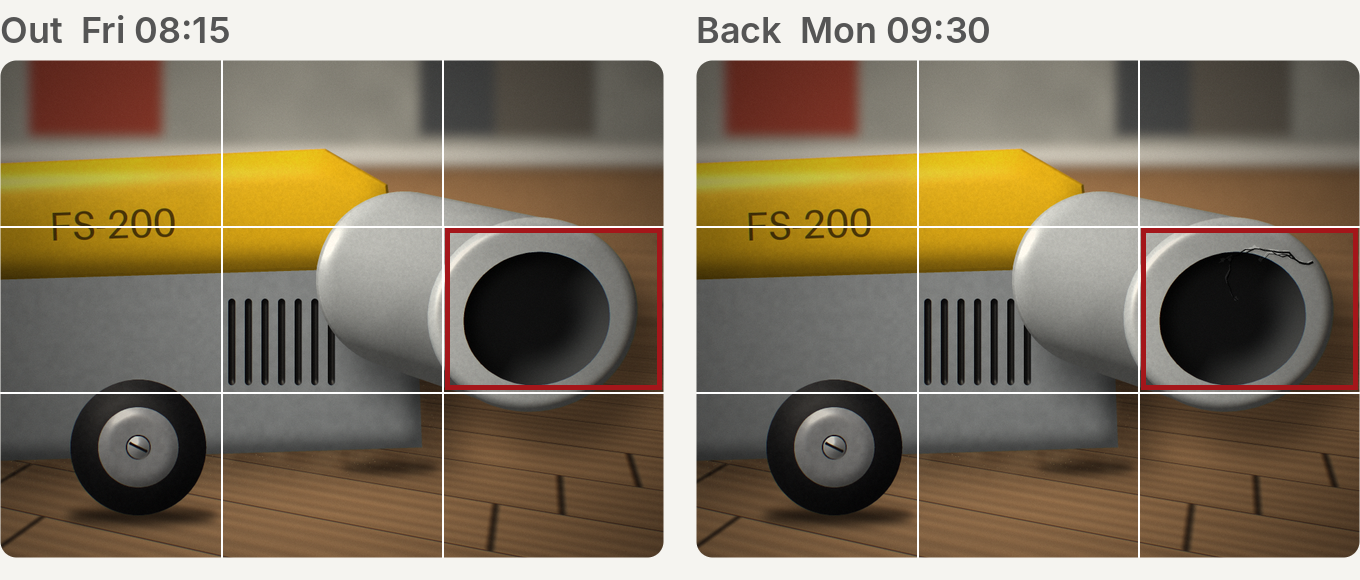
When a tool comes back, hirecheck puts each return photo next to the photo from hand-over and marks what changed.
No account needed. The demo opens a floor sander hire with sample photos.
How it works
Open the hire record
See the tool, the customer and the photos taken at hand-over.
Check return
Each return photo is compared with its hand-over photo, angle by angle.
Confirm and save the evidence
Confirm the findings you agree with. Both photos stay with the record.
What it flags
- Existing damageIt is in the hand-over photo too.
- Possible new damageIt is not in the hand-over photo. Look closer.
- RetakeThe photo is too unclear to judge.